
Before
the shutter.
Every great photograph begins with a decision. Find clarity in light, motion and focus with PhotoCalc Tool.
Read the light.
Shape the frame.
Photography begins with the conditions around you. Choose a light scenario and see how exposure considerations change.
Soft, diffused light.
Cloud cover softens contrast. Think about available light, subject movement, and the depth of field you want.
Illustrative photography guidance only, not live calculations from the application. For recommendations based on your actual scene, open PhotoCalc Tool.
View PhotoCalc Tool ↗A different frame.
A different decision.
Start with the subject. Consider the light. Let the settings serve the image.
Portraits.
Give faces room to shine. Explore aperture and background separation while balancing light and movement.
Landscapes.
Think about the scene from foreground to horizon, and the depth of field your composition needs.
Street scenes.
Fast moments and shifting light call for deliberate shutter speed and sensitivity choices.
Close details.
When shooting macro or product photography, sharpness and focus make every small detail count.
The tool,
frame by frame.
Swipe to explore →Actual screens from PhotoCalc Tool: choose the scene, explore a suggested setup, revisit saved results, and learn why the exposure works.
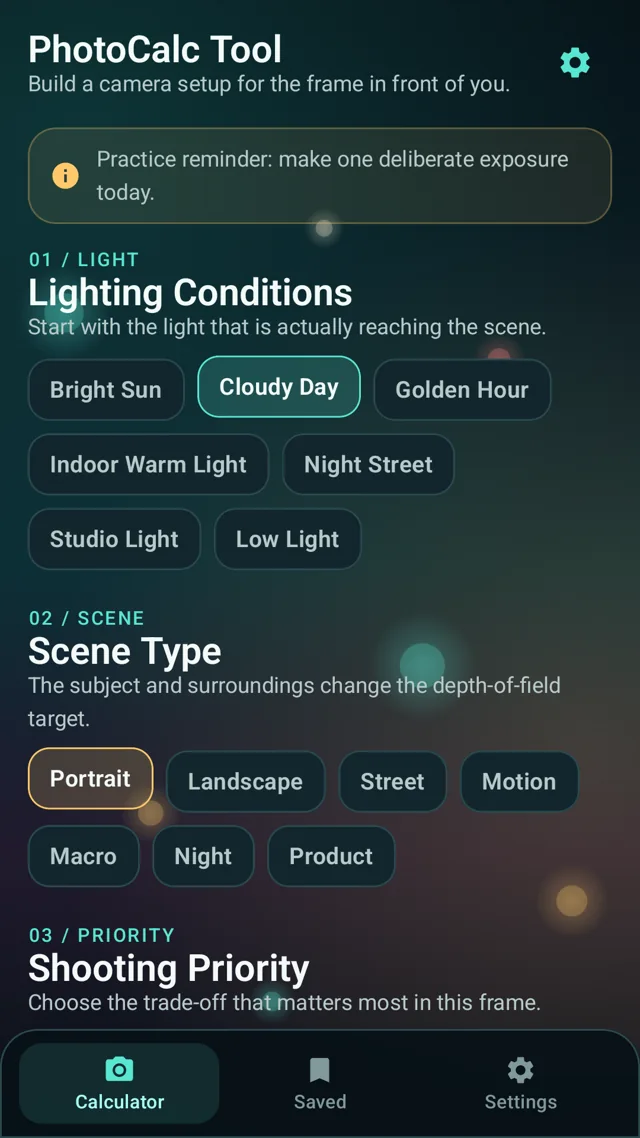 01 / Choose the conditions
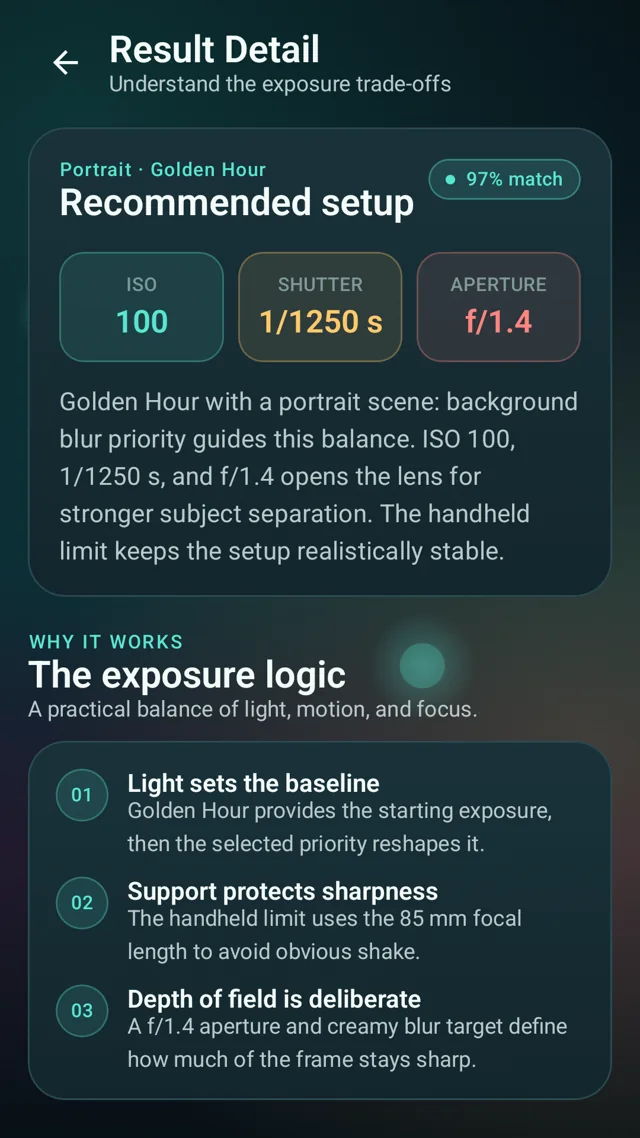 02 / Understand the result
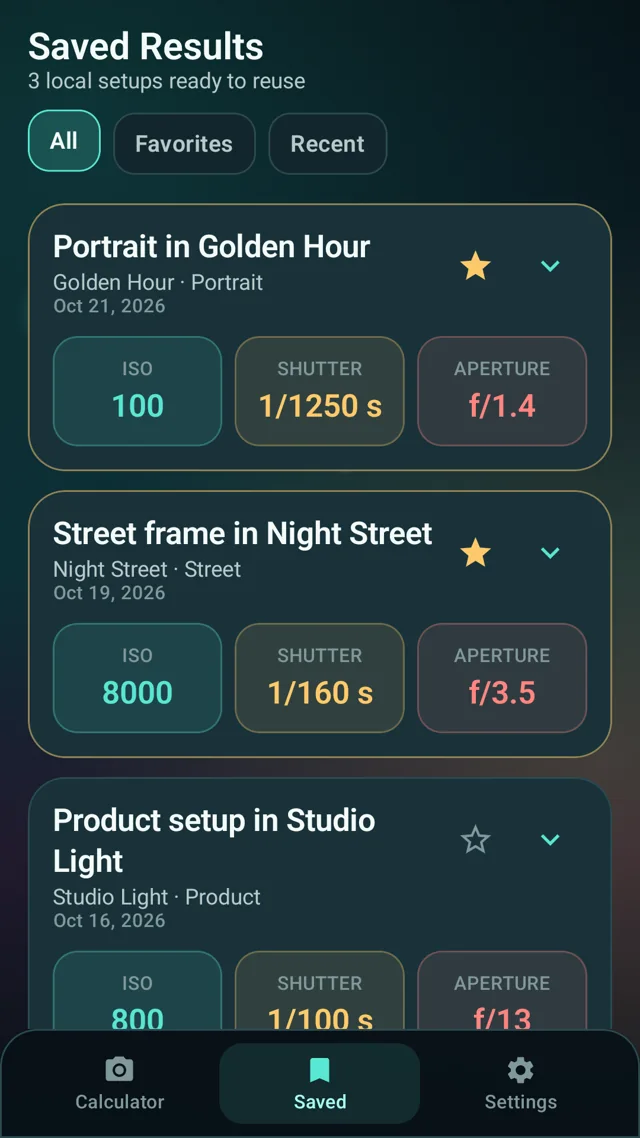 03 / Save a useful setup
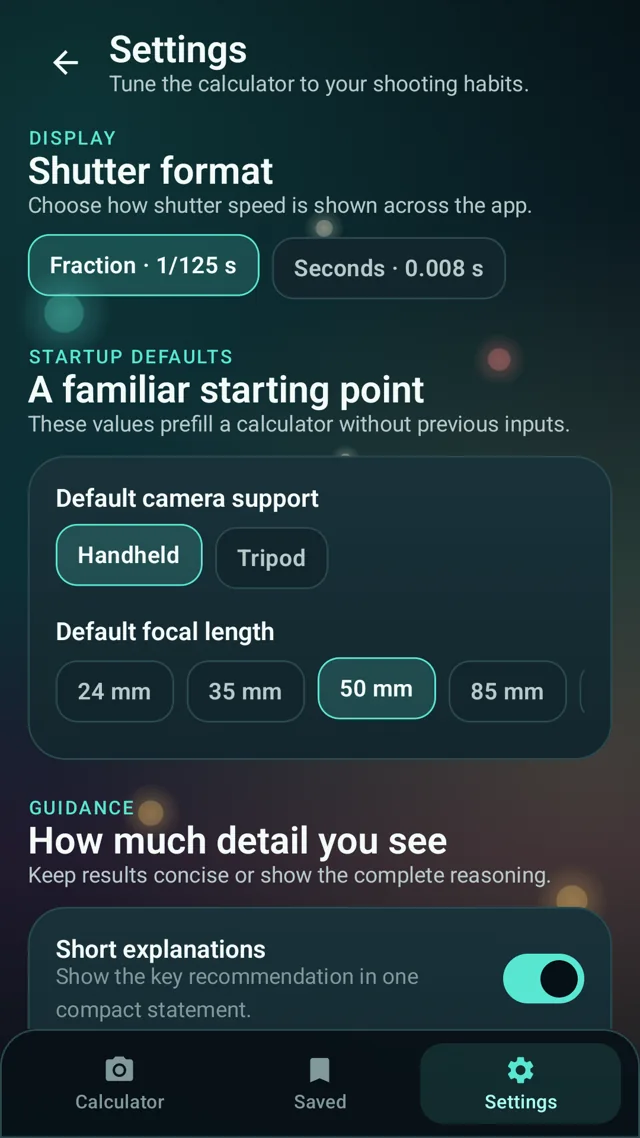 04 / Make it yours
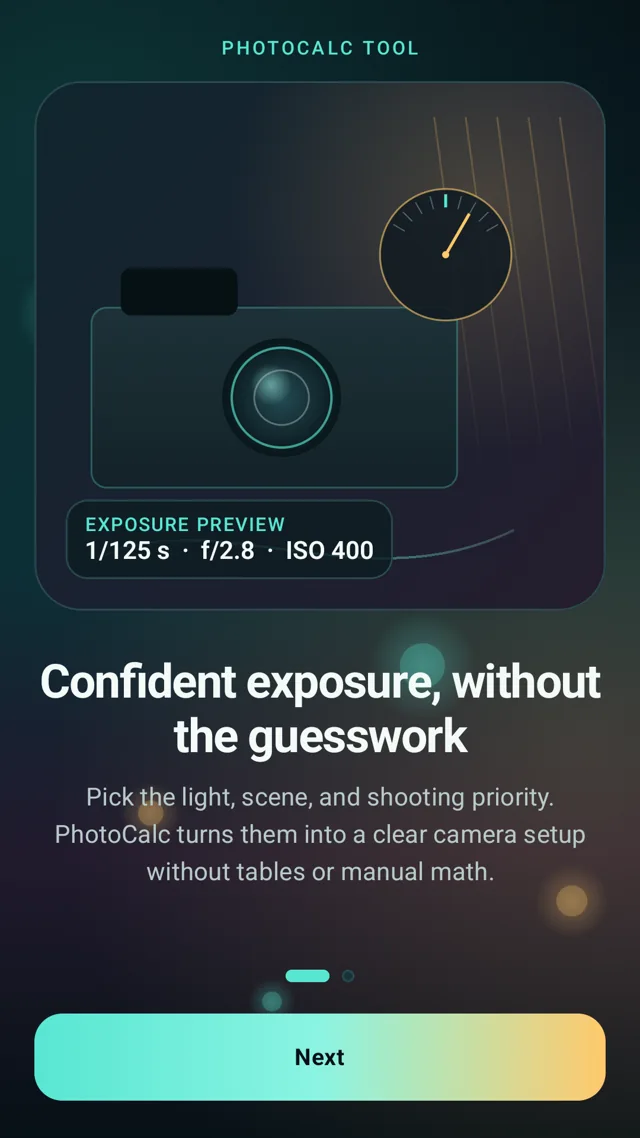 05 / Thoughtful guidance
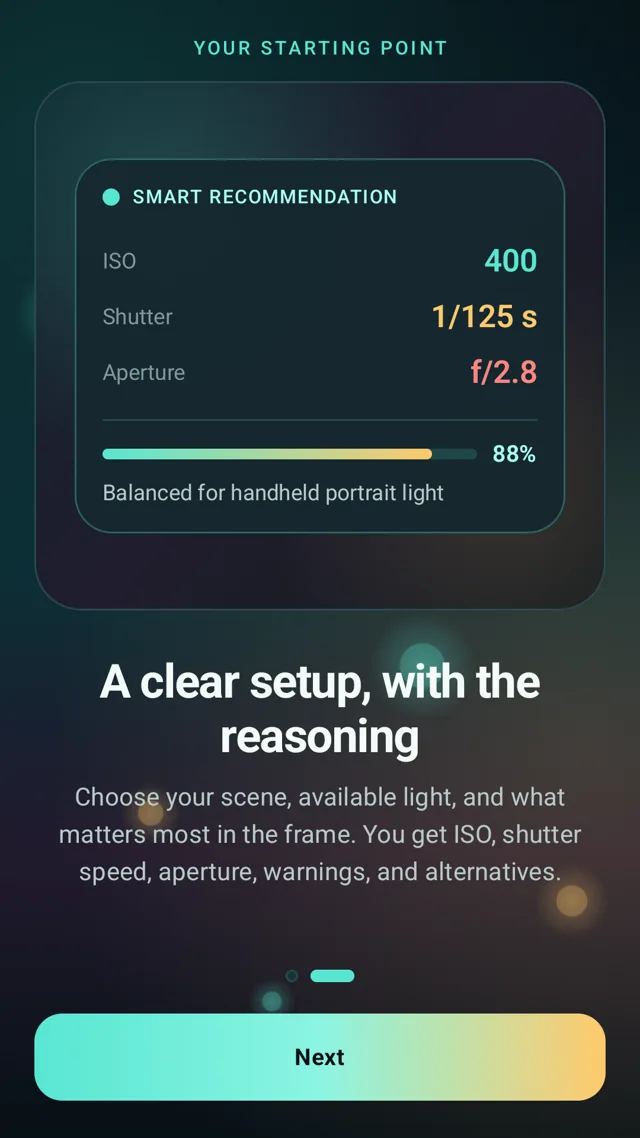 06 / Exposure explained
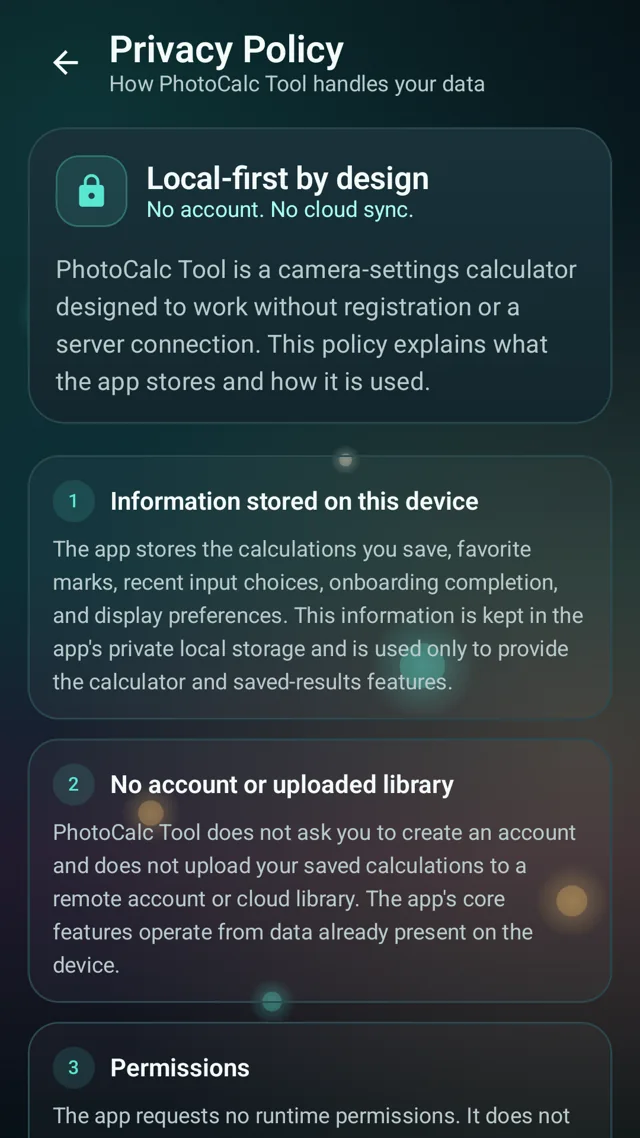 07 / Local-first by design
Not just numbers.
The reasoning.
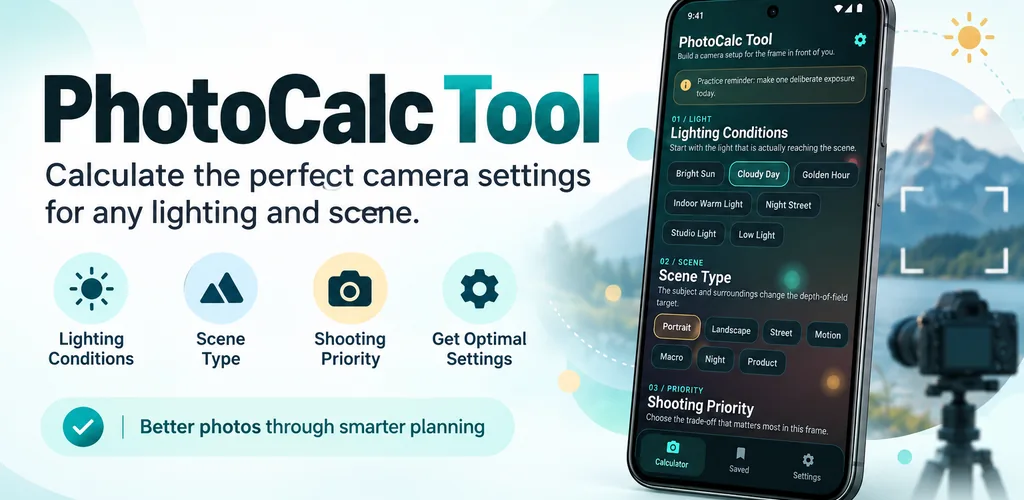
PhotoCalc Tool is a photography companion that makes complex exposure choices easier to approach, without overwhelming the creative process.
Bright sun, golden hour, studio lighting, or a night street — begin with the light reaching your scene.
Select the scene and shooting priority, from soft backgrounds to crisp detail and motion.
See the suggested ISO, shutter speed, and aperture, explore the explanation, and save a useful result.
“The camera makes the exposure. You make the photograph.”
Independent ideas.
Thoughtfully built.
Mobile application development
Focused mobile-first products designed around real, everyday tasks.
UX & interface design
Structured user journeys, accessible interfaces, and consistent design systems.
Prototyping & quality assurance
Making ideas testable and improving usability through careful review.
Ongoing product improvement
Refining features and maintaining clarity as products evolve.